블로그 테마 바꾸기: Chirpy 적용기 🐥
Chirpy 테마를 내 블로그에 적용한 이야기 🛠️
기존 GitHub 블로그 테마가 살짝 아쉬웠다.
예전 블로그는 YAT테마를 적용해서 만들었었는데,
이런저런 이유로 더 좋은 테마를 찾은 것 같아 Chirpy테마를 사용하기로 했다.
그러다 찾은 게 바로 Chirpy 테마 🐥
당장 적용해 보자 🏃🏃♂️🏃♀️
공식 사이트: https://chirpy.cotes.page/
—
1. 기존 블로그 백업 & 초기화
초기에는 GitHub.io 라는 레포를 새로 만든 뒤, 테마를 클론해서 하는 방법을 사용한다.
하지만 이미 해당 레포지토리가 있어, 기존 레포를 유지한 채, 테마만 싹 갈아엎기로 결정했다.
해당 폴더 내에서 아래 명령어를 입력해 깔끔하게 지운다. ✨
1
rm -rf * .[^.]*
2. Chirpy 테마 덮어쓰기
아래 명령어를 통해서 Chirpy테마를 가져온다.
1
2
3
4
git clone -b main https://github.com/cotes2020/chirpy-starter.git temp-chirpy
cp -r temp-chirpy/* .
cp -r temp-chirpy/.* .  # 숨김 파일 포함
rm -rf temp-chirpy
3. Git 초기화 및 연결
기존 .git 폴더도 날아갔기에 Git 저장소를 새로 초기화하고,
GitHub에 있는 내 블로그 레포(gaaaani.github.io)와 다시 연결해줬다.
💡Chirpy는 main 브랜치로 사용해야 하기 때문에 branch -M main도 꼭 해줘야 한다.
4. GitHub Pages 설정
GitHub 저장소 > Settings > Pages 이동
Source → Branch: main, /(root) 선택
저장 후 잠시 기다리면 배포 완료!
5. _config.yml 수정
_config.yml 파일을 보면 블로그 정보를 설정하는 항목들을 지정해준다.
1
2
3
4
5
6
7
8
9
10
11
12
13
14
15
16
17
18
19
github:
  username: github_username # change to your GitHub username

twitter:
  username: twitter_username # change to your Twitter username

social:
  # Change to your full name.
  # It will be displayed as the default author of the posts and the copyright owner in the Footer
  name: username
  email: email  # change to your email address
  links:
    # The first element serves as the copyright owner's link
    - https://twitter.com/username # change to your Twitter homepage
    - https://github.com/username # change to your GitHub homepage
    # Uncomment below to add more social links
    # - https://www.facebook.com/username
    # - https://www.linkedin.com/in/username
프로필 이미지를 설정하기 위해서는
1
2
# the avatar on sidebar, support local or CORS resources
avatar: /assets/img/profile.png
⛷️ 설정 파일 수정 후 로컬에서 확인하려면 항상 서버 재시작이 필요하다.
1
2
bundle install
bundle exec jekyll serve
서버 시작 후 localhost:4000에서 확인이 가능하다.
짜잔~✨
내용과 프로필 사진이 잘 적용된 것을 확인할 수 있다!
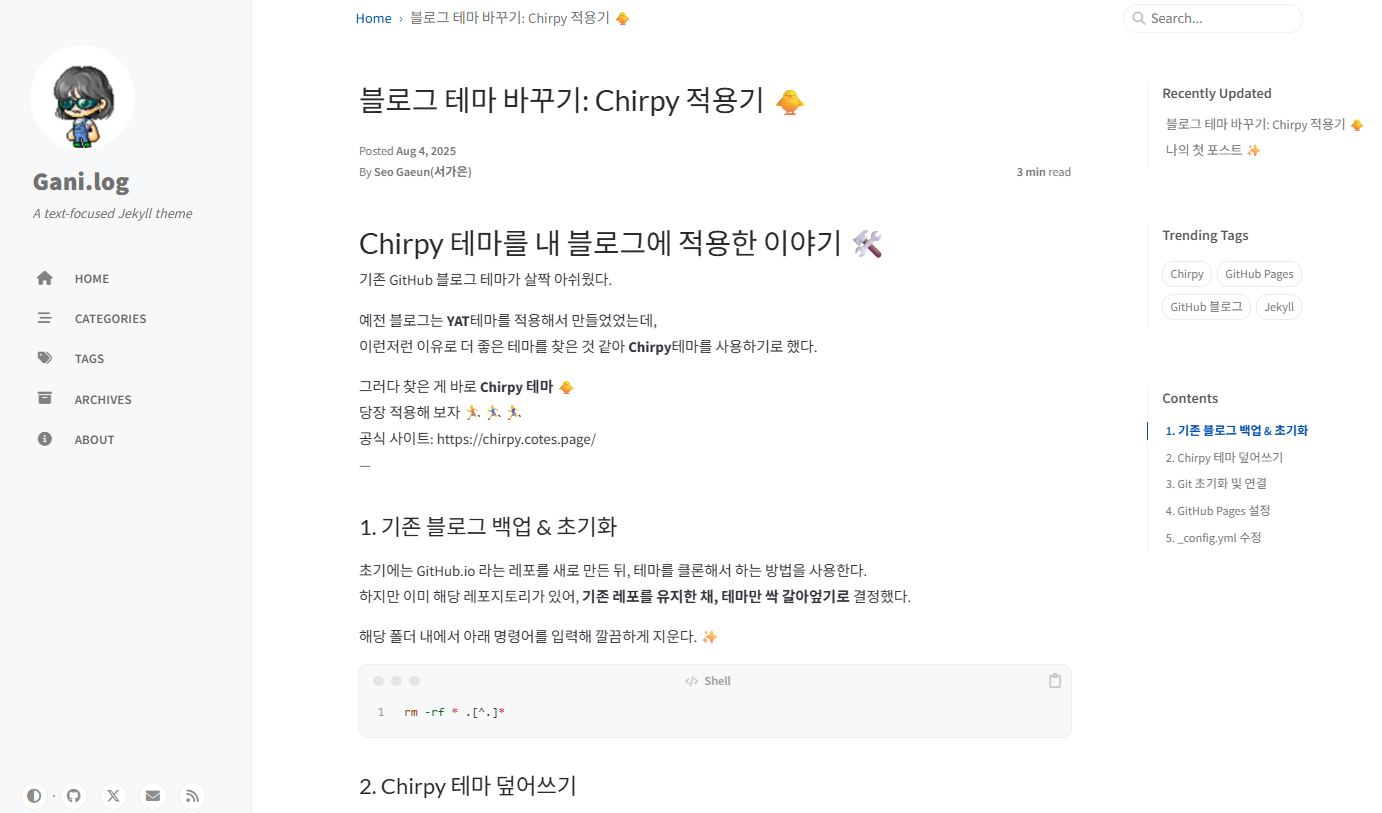
이제 GitHub Pages에 반영되려면 commit & push!
1
2
3
git add .
git commit -m "commit massage"
git push origin main
이제 알차게 블로그를 즐겨보자~
오늘의 해냄 +1